Open DBF Files Online
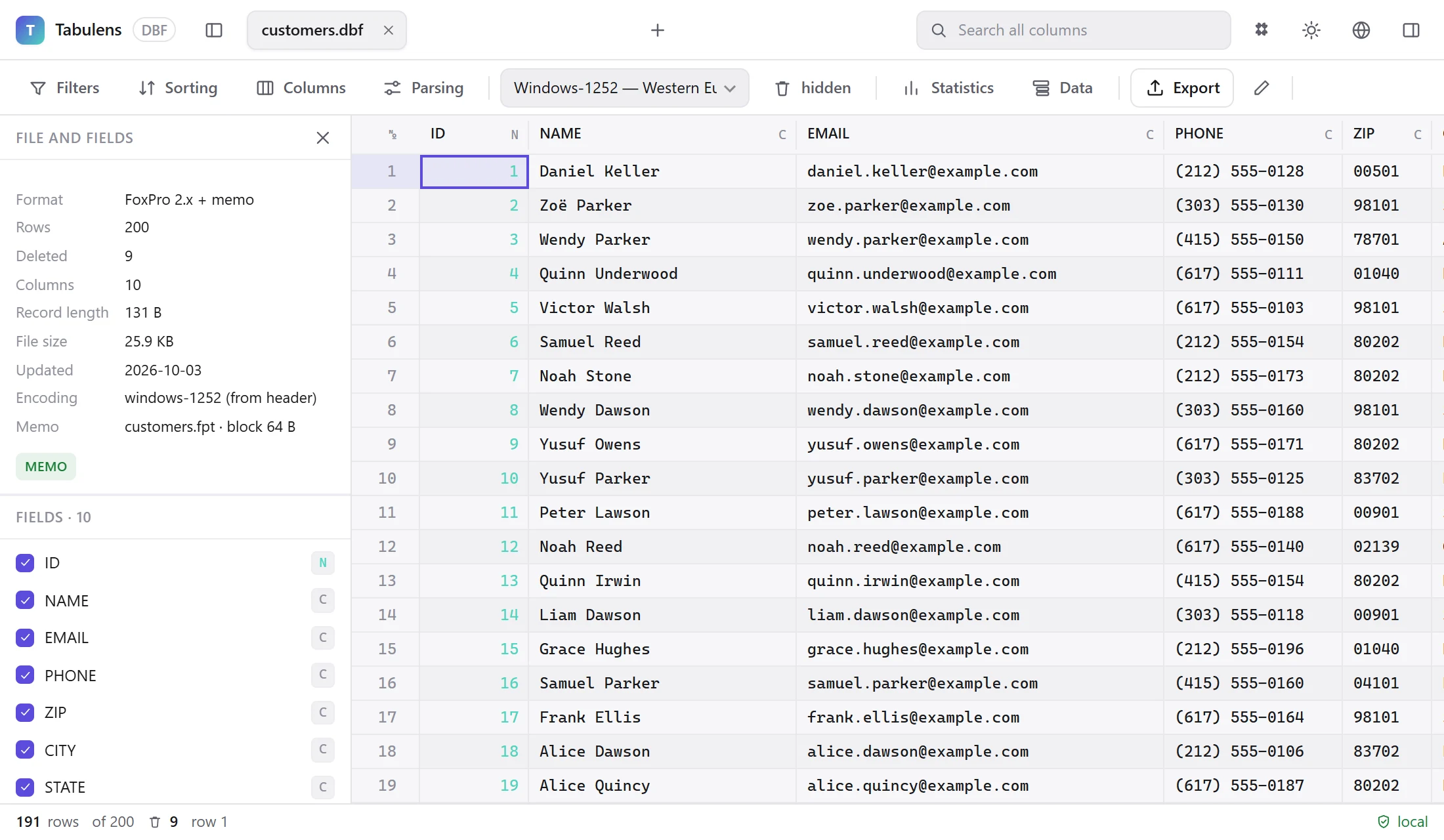
Open a .dbf file right in your browser — with its memo text, the right code page and the records marked as deleted. The file stays on your computer: it is not uploaded to any server.
Free for personal use. Nothing to install. Works offline too, after the first visit. Windows version — 3.5 MB, no installation: details. Organizations: license.
Every dialect
dBase III+, dBase IV and 5, dBase Level 7 with long field names, FoxBASE, FoxPro 2.x, Visual FoxPro and Clipper. The version is read from the file signature, not guessed from the extension.
Memo text is read
Long text from .fpt, .dbt and .smt files is filled into the cells. Drag the memo file in together with the table and it attaches itself.
Code pages, not guesswork
Taken from the language driver in the header; if there is none, detected from the content. Switch between code pages (cp437, cp850, windows-1252, cp866, windows-1251…) with one click — the file is not re-read.
Deleted records are visible
DBF does not remove rows physically, it only flags them. Hide them, show them with everything else, or keep only those — and export them separately.
What exactly is supported
| Dialect | Signature | Memo |
|---|---|---|
| dBase III+ | 0x03, 0x83 | .DBT |
| dBase IV / 5 | 0x04, 0x05, 0x8B | .DBT with a block signature |
| dBase Level 7 | 0x04 (48-byte descriptors) | .DBT |
| FoxBASE, FoxPro 2.x | 0x02, 0xF5, 0xFB | .FPT, 10-digit block reference |
| Visual FoxPro | 0x30, 0x31, 0x32 | .FPT, 4-byte block reference |
| Clipper SIX | 0xE5 | .SMT |
Field types: C V N F D T @ L I + Y B O M G P W Q. Currency is scaled, datetime is assembled from the Julian day and milliseconds, varchar takes its length from the last byte, NULL is read from the _NullFlags bitmask. See the structure of a DBF file for the details.
How this differs from Excel
- Excel mangles codes:
00123becomes123, a long account number turns into scientific notation. Here, leading zeros and long numeric codes stay text. - Excel will not show records flagged as deleted — and they are often the reason a report does not add up. More on deleted records.
- Excel does not open memo fields from .fpt: you get a block number or nothing. How memo files work.
- A file with a million rows opens at once: only the records on screen are read, not the whole file.
Garbled accents or box-drawing characters instead of text? That is a code-page mismatch — see fixing garbled text in DBF files.
Comparing two exports
The most common task is working out what changed between two versions of a table or two exports from neighbouring periods. Open both files, pick the key fields and you get a list: what appeared, what disappeared, what changed — down to the individual field, with a report you can export to CSV.
Columns are matched by name, not by position: a field added in the middle does not break the comparison, it is reported separately.
FAQ
Is the file really not uploaded to a server?
Right. Parsing happens in the tab itself, in a background browser thread. The server only delivers the page code; the content security policy forbids the page from sending data anywhere except its own origin, and you can see that in the developer tools. Turn off your internet connection and the app keeps working.
What is the maximum file size?
There is no size limit: only the records visible on screen are read. Files of several gigabytes open in a fraction of a second.
Why do I see garbled characters instead of my text?
The DBF header does not always carry the right code page. Switch the encoding in the toolbar: DOS-era programs usually need cp437 or cp850, Windows exports windows-1252, and Cyrillic files cp866 or windows-1251. See garbled text in DBF files.
Can I edit the data and save it?
Yes. Edits are collected separately and written only when you press Save; fields we do not touch are copied from the original file byte for byte. .cdx indexes are not rebuilt — do that in your own system.
In depth
- How to open a DBF fileOpen .dbf files from dBase, FoxPro and Clipper: what works in Excel and LibreOffice, what breaks (encoding, memo, deleted rows) and how to view DBF in a browser.
- Garbled characters in DBF: finding the right encodingWhy accented letters in a DBF file turn into symbols or box-drawing characters, how the language driver byte works, and how to find the right code page.
- FPT and DBT files: where the long text of a DBF really livesWhat .fpt, .dbt and .smt files are, why a DBF shows blanks or block numbers without them, and how the memo formats of dBase III, dBase IV and FoxPro differ.
- Records flagged as deleted: the main source of mismatchesWhat the deletion flag in a DBF means, why PACK changes the record count, how ghost records cause mismatches between reports, and how to see them.
- DBF structure: a format referenceHow a DBF file is built: header bytes, field descriptors, field types C N D L M I T Y, the deletion flag and memo references. A byte-offset reference.
- Converting DBF: what gets lost and how to avoid itHow to export DBF to XLSX, CSV, JSON or SQL without losing leading zeros, long codes, memo text or deleted records. What to check before and after converting.