Tabulens for VS Code
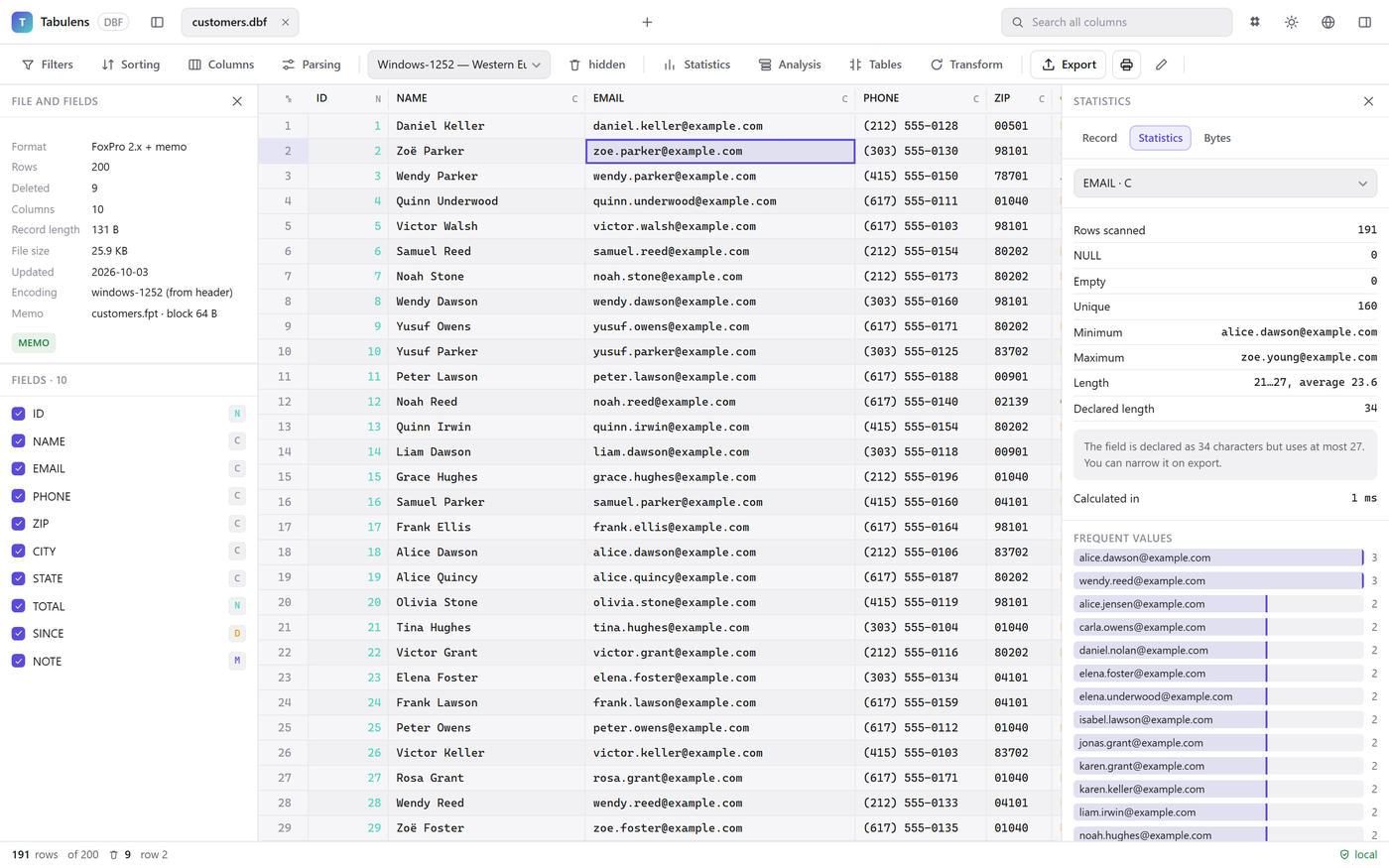
Double-click a DBF, Excel, SPSS, Parquet or SQLite file in the Explorer and it opens as a table right in the editor: filter, search, compare, export. Nothing is uploaded.
Free extension. Requires VS Code 1.85 or newer. VS Code reads the file from disk and the editor tab processes it — there is no server at all.
Opens by default
DBF with memo and .cpg encoding, Excel, ODS, Parquet, SQLite and GeoPackage, Access, MXL, SPSS, Stata, SAS .xpt, Norma 43.
CSV, JSON and XML on request
Text files keep opening in the normal editor; get the table with “Open in Tabulens” in the Explorer menu or “Open With…”.
Compare with Git HEAD
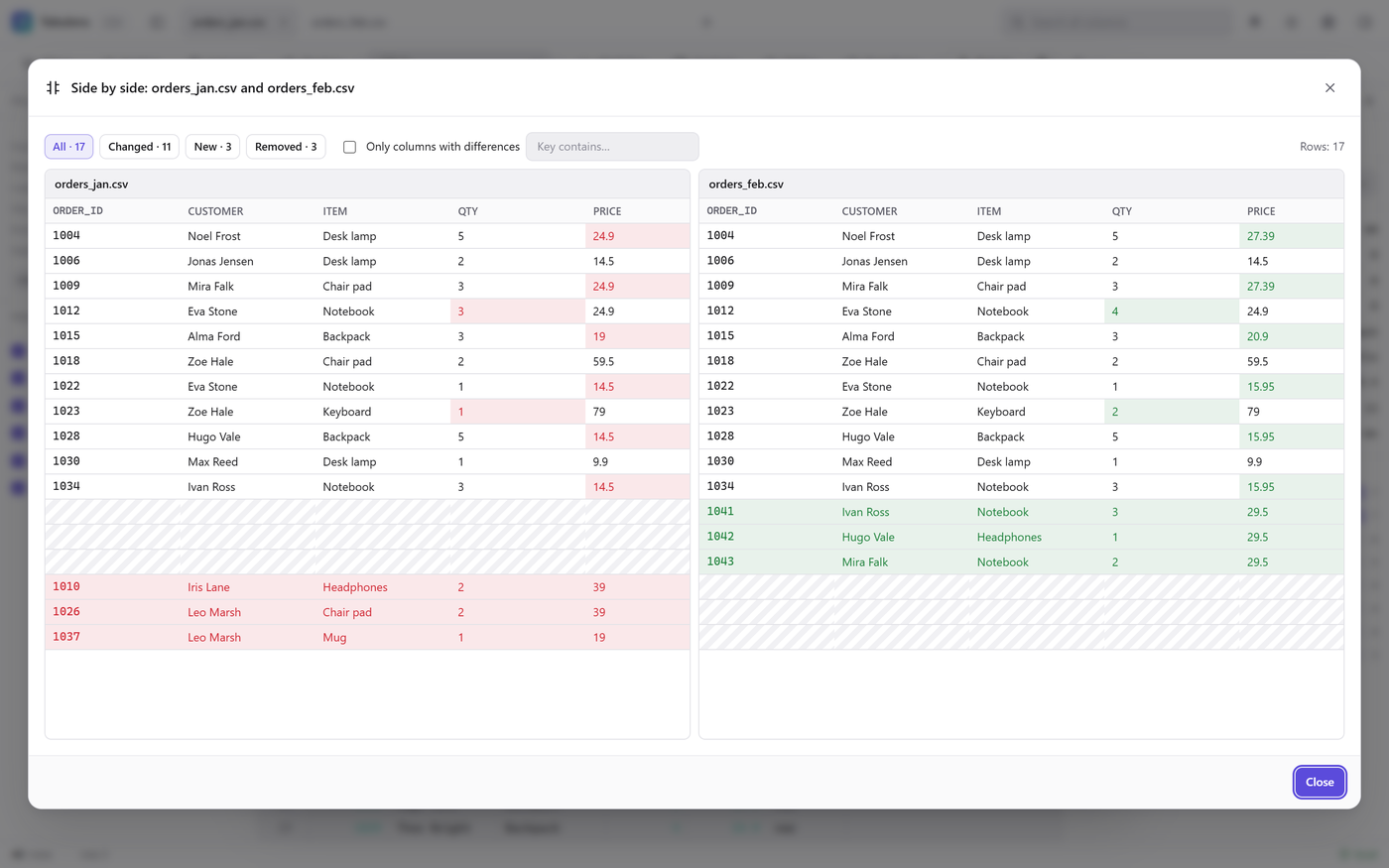
See what changed in a table since the last commit, row by row and field by field — a button in the editor title or right-click the file.
Edit in place
DBF with its memo file, CSV, Excel, ODS, XML, JSON and SQLite are saved where they are; Tabulens asks before overwriting.
How to install
- In VS Code open Extensions (Ctrl+Shift+X) and search for “Tabulens” — or use the button above.
- Click Install. From a terminal: code --install-extension tabulens.tabulens
- Double-click a .dbf, .xlsx, .parquet, .sav or other file in the Explorer.
What it looks like
FAQ
Are my files uploaded anywhere?
No. VS Code reads the file from your disk and the editor tab processes it; the extension has no server to send anything to.
Which formats does it open?
By default: DBF, DBC, Excel (xlsx, xls, xlsb), ODS, Parquet, SQLite, GeoPackage, Access, MXL, SPSS, Stata, SAS .xpt, Norma 43. On request: CSV, TSV, fixed-width text, JSON, JSON Lines, GeoJSON, XML.
Does it work in remote workspaces?
Yes, if the file is saved on the workspace's disk. Unsaved and virtual files are not supported.
What does Compare with Git HEAD need?
Git installed and the file committed at least once.
Is it free?
The extension is free, with the same limits as the web app: export up to 5,000 rows at a time, 3 open tabs. A Pro license ($29, once) lifts them; the same key works in the browser, on Windows and on Android. You can try Pro for 14 days.